VideoProc Converter AI
 New AI features are available



 Listed in
 Ask around on any tech forum about upscaling, and Topaz Video (formerly Topaz Video AI) is usually the first name that comes up. For a long time, it was the only serious option if you wanted professional-grade results.
HHowever, Topaz is no longer the only player in the market. The pricing has also changed significantly: what used to be a $399 lifetime license is now a $299 annual subscription, which is a big shift for most users. With the new cost and the rise of high-quality alternatives, it’s worth thinking about whether that premium price still makes sense. I put the latest version through its paces to see if Topaz still leads the pack or if it is now just one of several solid options. Here’s what my testing revealed.
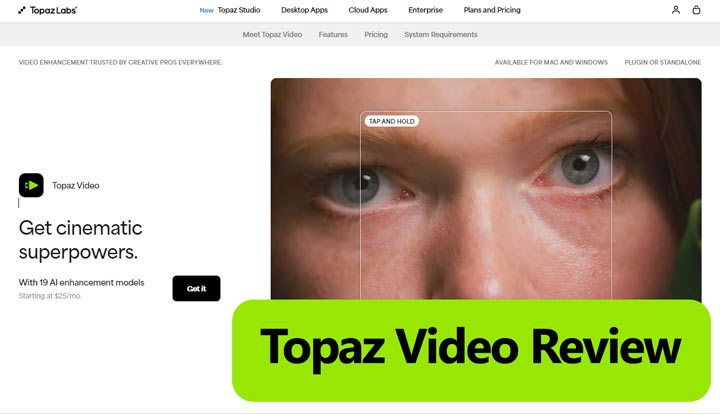
What Is Topaz Video
Topaz Video is a comprehensive video enhancement tool designed to improve footage in multiple ways. It can upscale resolution, remove noise and blur, stabilize shaky shots, interpolate frames for smooth motion, and even convert SDR to HDR. Acting like a digital restoration lab, it helps filmmakers, archivists, and creators bring old or low-quality footage up to professional standards. Whether you’re enhancing 480p family videos, restoring archives, or refining shaky drone clips, Topaz Video provides a full set of tools to make your footage cleaner, sharper, and more polished.
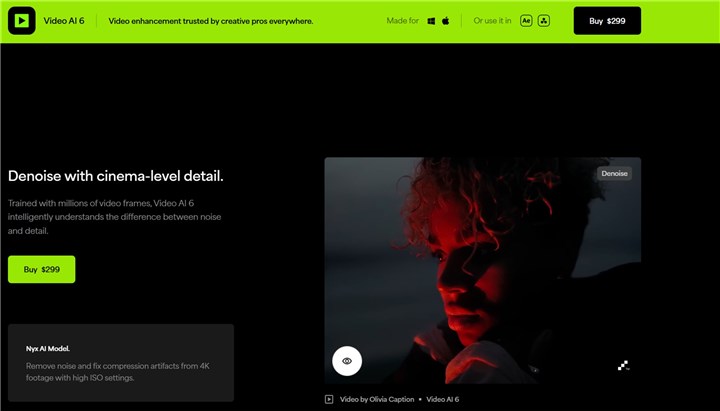
Whether you're a filmmaker salvaging old archives, a content creator upscaling phone footage, or an enthusiast perfecting home videos, Topaz Video AI acts as your personal AI quality lab, making the impossible possible.
What Are Key Features of Topaz Video AI
Topaz Video AI is built around a modular system where the results depend on choosing the right model for your specific footage. Here are the key features that define the software in 2026.
1. AI Upscaling and Enhancement
Topaz Video AI allows users to significantly upscale video resolution—from standard definition to 4K, 8K, and even up to 16K—while restoring lost detail and clarity. Advanced models address common issues like noise, blur, and compression artifacts. Users can choose from specialized models depending on the footage:
- Starlight (New): Restores very low-res or grainy clips, generating realistic fine details.
- Iris & Nyx v3: Focus on human faces and low-light de-noising, keeping skin textures natural.
- Proteus: A versatile model for general sharpening and manual fine-tuning.
- Astra: Optimized for AI-generated videos, fixing common distortions from tools like Sora or Runway.
2. Video Stabilization
Topaz Video AI’s stabilization engine can distinguish between intentional camera movement and accidental jitters. Topaz Video AI delivers a smoother, “Steadicam-like” result while keeping cropping to a minimum. It also includes tools to correct rolling shutter distortions from CMOS sensors and reduce motion blur. By analyzing the camera path, these features recover sharp edges even in footage affected by shaky hands or fast-moving subjects.
3. Frame Rate Conversion
Topaz Video facilitates smooth frame rate conversion, enabling users to transform lower FPS footage into higher frame rates, up to 120fps. Additionally, it provides options to create slow-motion videos by interpolating frames, with various speed multipliers available (e.g., 2x, 16x).
4. Professional Workflow & HDR Tools
The 2026 update adds Workspaces 2.0, letting users pause and resume exports while managing multiple projects. It also includes HDR enhancement with the Hyperion model, which expands dynamic range for Rec.709 footage to better suit modern HDR displays. Users can free up GPU resources during rendering without losing progress, and Topaz Video integrates directly with DaVinci Resolve, Premiere Pro, and After Effects for a smoother editing workflow.
How About Topaz Video AI's Performance in Practice
To assess how effectively Topaz Video AI performs its key functions, I conducted several tests using various video clips and settings, focusing specifically on its quality enhancement capabilities. For most clips, I've captured the first frame of both the "before" and "after" results to help you better compare the differences.
1. 4X Upscale with Topaz Video AI (Proteus Model)
AI Model: Proteus (This model is often recommended by Topaz Video AI for general video enhancement).
Test Clip: A 720p resolution video generated from Google Veo2. The original footage exhibited noticeable blur and a lack of fine details.
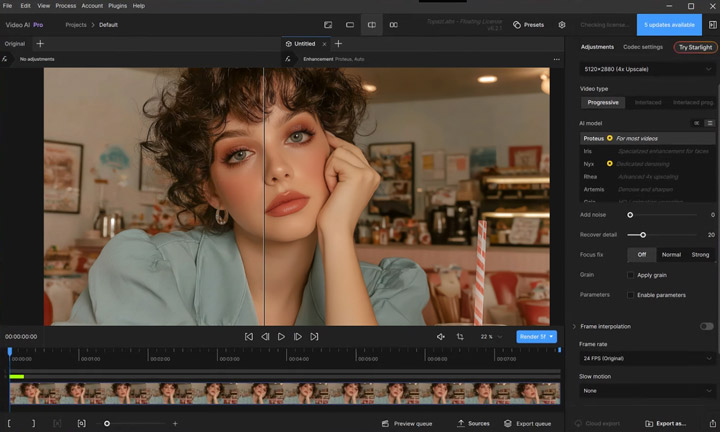
Let's examine the results.



I captured the first frame of both the original and the upscaled video clip. The result shows a small yet perceivable improvement in clarity.
2. 4X Upscale with Topaz Video AI (Rhel Model)
AI Model: Rhel
Test Clip: The same video clip used in the previous test.
One of Topaz Video AI's standout features is its provision of various AI models. Therefore, I also tested another model, Rhel, which is often cited as being effective for 4K upscaling.
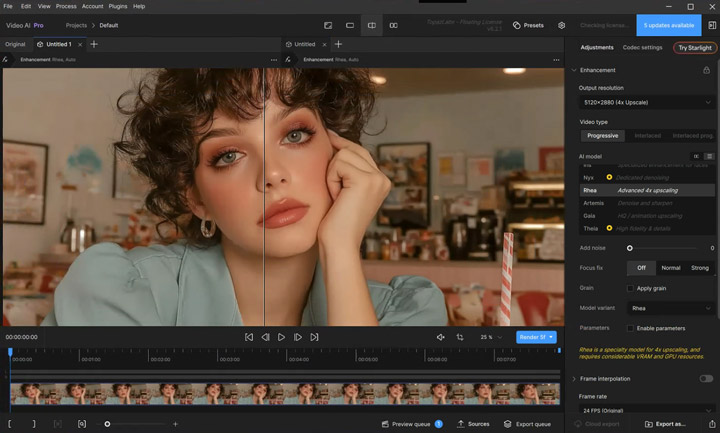
As before, I captured the first frame of the original and the upscaled video clip. This result appears better, showing a more visible improvement in clarity and details. However, the processing time for this attempt was approximately 5 minutes longer than the first.

3. Noise Reduction with Topaz Video AI
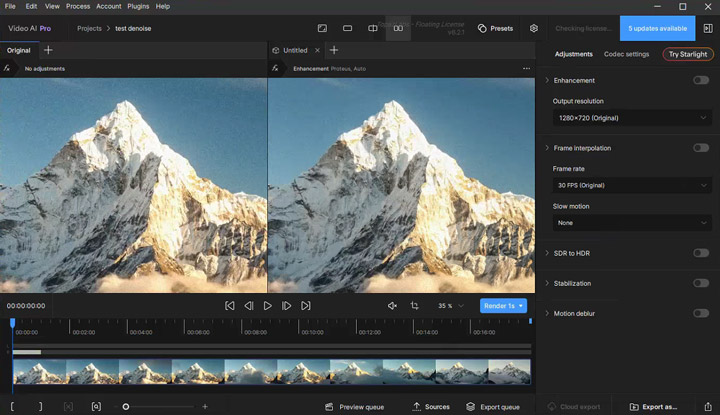
Test Clip: Footage I downloaded from Pixabay and then intentionally added noise to using Premiere Pro.
It seems we don't need to export the footage and magnify the details to determine if Topaz Video AI performs well in noise reduction. From the side-by-side preview window, we can observe that the denoised footage still exhibits some blur and grain. This suggests that while it attempts to reduce noise, the results might not always be perfectly clean.
4. Motion Blur Reduction with Topaz Video AI
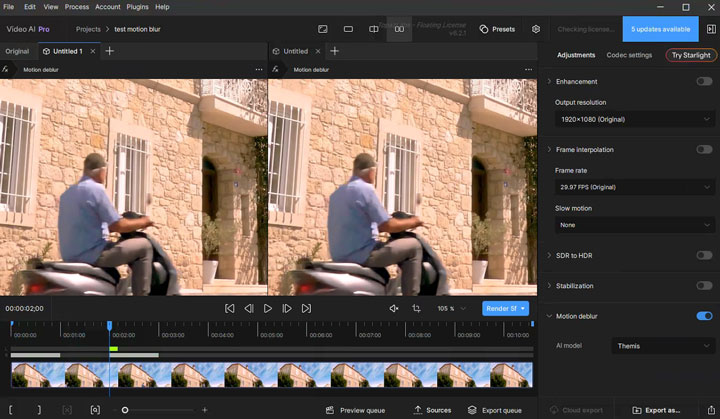
Test Clip: A clip I downloaded directly from Pixabay.
Motion blur reduction is a unique selling point that few other AI video enhancers offer. Let's see if it's truly as amazing as it claims to be. Unfortunately, I observed no real difference between the "before" and "after" motion blur removal. This feature might require specific types of footage or more fine-tuning to show noticeable results.
Topaz Video AI Pricing
- Free Trial: Yes, but exports are watermarked and limited to 30 seconds.
- Full License: $299 (one-time payment, no subscription)
Worth it? If you regularly restore old footage, yes. If you just need to tweak smartphone videos, probably not.
Pros & Cons of Topaz Video AI
✅ Topaz Video AI Pros
- Best-in-class detail recovery (faces, textures, film grain)
- No subscription (pay once, own forever)
- 8K future-proofing
- Batch processing
❌Topaz Video AI Cons
- Demands a powerful GPU (Intel i5 users need not apply)
- No built-in editing tools (you'll still need Premiere or DaVinci Resolve)
- Steep learning curve (beginners may struggle with AI model selection)
- Expensive ($299 is a big ask for casual users)
Topaz Video AI User Feedback: What People Are Saying
Positive:
"Restored my grandfather's WWII film—details we hadn't seen in decades finally appeared!" (DPReview forum)
"The only tool that made my 360p concert footage look watchable in 4K." (Reddit user)
Negative:
"Crashed three times processing a wedding video. Switched to AVCLabs for reliability." (Topaz support thread)
"Overkill for Instagram clips—Media.io is faster and cheaper." (YouTube comment)
Best Alternative to Topaz Video AI: VideoProc Converter AI
While Topaz Video AI is undoubtedly a leader in its specialized niche, its high price and demanding hardware requirements can make it inaccessible or overkill for many users. This becomes even more evident when you consider its singular focus – it's exclusively designed for enhancing videos. If you need to upscale and enhance your images, you would then need to subscribe to Topaz Photo AI, which costs an additional $199 USD.
If you're seeking a powerful, all-in-one media (video, audio, image) AI enhancement solution that is also significantly more affordable and still delivers impressive results, VideoProc Converter AI stands out as the best alternative.
Why VideoProc is Your Best Alternative to Topaz Video AI
- ✅ At $29.95/year, it's a steal compared to Topaz's $299 for video enhancement only.
- ✅ AI enhance Videos: Improves video quality naturally while maintaining original details.
- ✅ Automatically corrects visual imperfections like blur, grain, pixelation, and compression artifacts.
- ✅ Extra AI video enhancement tools for deinterlacing, stabilization, and frame rate boosting.
- ✅ Capable of upscaling images to 10K, colorizing old faded pictures, and restoring faces.
- ✅ Offers faster processing speeds and performs efficiently even on mid-range computers.
- ✅ A comprehensive tool for editing, converting, compressing, and downloading videos.

Topaz Video AI vs VideoProc Converter: Side-by-Side Comparison
| Feature/Aspect | VideoProc Converter AI | Topaz Video AI |
|---|---|---|
Primary Focus |
Enhance and process media files. |
Enhance video only. |
Target User |
Users of all levels. 👍 |
Filmmakers and professionals. |
Other Core Features |
|
|
Ease of Use |
Beginner-friendly, one-click presets. |
Advanced UI, more manual controls. |
Performance |
Fast, powered by th level-3 GPU acceleration. |
Relatively slow. |
Pricing |
|
|
Free Trial |
Yes (with feature/length limitations). |
Yes (exports watermarked). |
Topaz Video AI vs VideoProc Converter AI: Before & After Test Results
See the impressive results when VideoProc Converter AI is used to enhance videos.
Test 1. Upscale Video to 4K
AI Model: Gen Detail v3


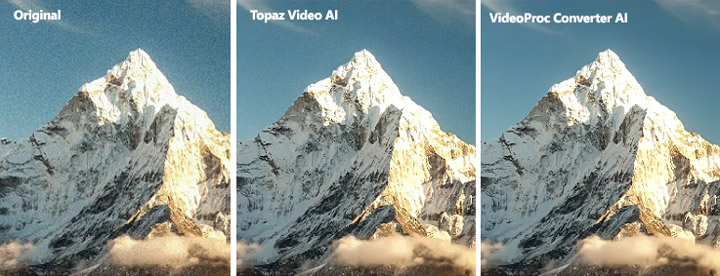
Test 2. Remove Video Noise
AI Model: Real Smooth v3
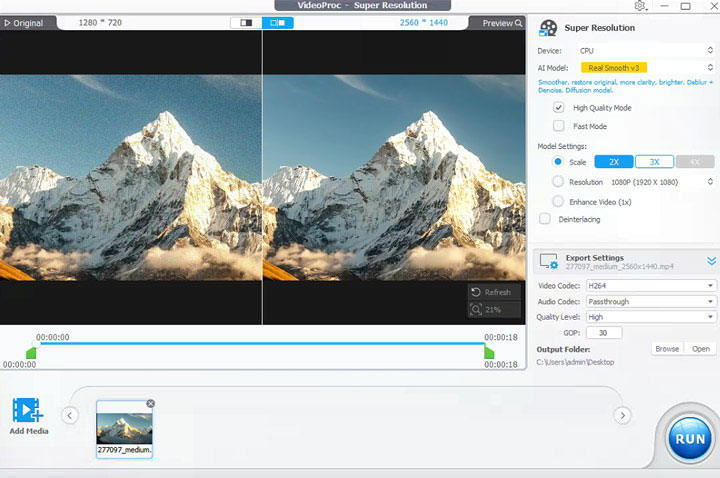
From my testing, I found that its noise removal capability actually outperforms Topaz Video AI. I've placed the results from both tools side by side below, so you can clearly see which one comes out on top.
The Bottom Line: Our Verdict on Topaz Video AI
The ultimate decision on which AI video enhancer to choose hinges on your specific needs, budget, and available hardware.
Topaz Video AI 2026 stands out for professional-grade video restoration, offering unparalleled detail recovery. It's the go-to choice if you demand the absolute highest-end results and are equipped with a powerful, modern PC (think an RTX 3080+ GPU and 32GB+ RAM), especially when budget is not a primary concern and integrated editing tools are not a necessity.
Conversely, VideoProc Converter AI is a more versatile, budget-friendly, and less hardware-intensive solution. This makes it ideal if you're seeking excellent AI video enhancement without breaking the bank, or if you require a comprehensive, all-in-one tool that combines video editing, conversion, and compression with AI features. It's particularly well-suited for content creators with mid-range PCs who prioritize efficient performance and a user-friendly experience.