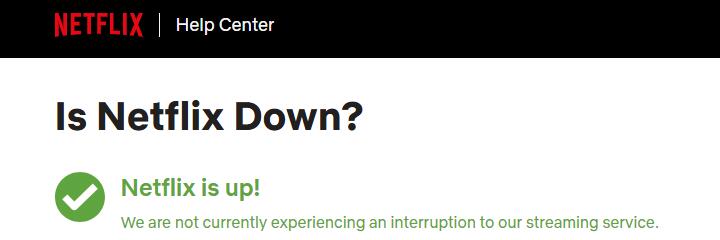
📢 As of now, , Netflix does not appear to be down at this time.
When millions of people around the world stream at the same time, even a video-streaming giant can run into trouble.
As the most popular streaming service in the world, "Is Netflix down?" is one of the most-searched questions whenever subscribers face errors or black screens. Although Netflix strives to provide uninterrupted service, occasional outages do happen. Below is a look at recent incidents, why they occur, how to check the status and what to do if you can't watch your favourite show.
Recent Netflix Outages
Streaming disruptions are not frequent, but they can attract significant attention when they occur. Here are some high-profile incidents from the past two years.
Date & time (approx.) |
Key issues |
|---|---|
26 Aug 2025 |
Users saw black screens, frozen menus and error messages with video streaming; some service returned by nightfall but full restoration remained pending. |
29 May 2025 |
The outage showed an E100 error and "title not available to watch instantly" message. It lasted several hours and highlighted Netflix's vulnerability during peak demand. |
25 Apr 2025 |
Users report login issues, random logouts, incorrect profiles, and error messages. Netflix acknowledged that "some members in select regions" had trouble. |
Netflix also experienced global outages or disruptions during high-profile live events, such as the Jake Paul vs. Mike Tyson boxing match in November 2024 and the Love Is Blind reunion in April 2023.
How to Check If Netflix Is Down
Before assuming a widespread outage, you can run through a few checks to see if the issue is on Netflix's end.
- Check your internet connection. Streaming issues often originate from Wi-Fi hiccups rather than Netflix. Test your network speed and reboot your router if necessary.
- Visit Netflix's service status page. Netflix maintains an "Is Netflix Down?" page and promises to update it when service interruptions occur. You can also sign in there to confirm your account status.
- Check DownDetector or similar sites. These crowd-sourced outage trackers show if other users are reporting problems.
- Monitor social media. Netflix often acknowledges widespread problems on platforms. If a lot of users are experiencing the same issue, they'll often post about it on X or Reddit.
- Look for localised issues. If DownDetector shows no spike and your friends can stream, the problem is likely with your device or network.
If everything appears to be normal, it might be an issue with your device, internet connection, or an isolated, local problem.
What to Do When Netflix Isn't Working for You
If the service appears up but your connection still fails, here are some fixes you can try to help get Netflix running again.
1. Restart everything properly
A full power cycle clears cached data and resets networking.
- Restart the device: turn the device completely off and unplug it. Netflix recommends leaving it unplugged for about a minute before plugging it back in and turning it on.
- Restart the modem and router: unplug the modem and router for 30 seconds, plug them back in, wait a minute and then turn the streaming device back on. This forces the device to request a fresh connection and can clear old network data.
2. Sign out of Netflix and sign back in
Corrupted session data can cause playback errors. On most smart TVs and streaming boxes, go to the menu and choose Get Help > Sign out. Then, sign back in and retry the app.
If you can't access the menus, try the following key sequence on your remote: Up, Up, Down, Down, Left, Right, Left, Right, Up, Up, Up, Up. This will usually open a menu where you can Sign out, Reset, or Deactivate.
3. Refresh or reinstall the app
If signing out doesn't help, the app's data may be corrupted. Try to remove and reinstall the app. Reinstalling ensures you have the latest version.
4. Check network connectivity and DNS
Make sure your Wi-Fi or cellular data is working properly. If not, you might see an error code like NW-2-5, meaning your device is taking too long to connect to Netflix servers. In this case, you need to check your network connection. If other apps are also experiencing issues, your device may not be connected.
- Test your internet speed: Use a service like fast.com (which is powered by Netflix) to check your connection speed and stability. Slow speeds can cause buffering issues.
- Improve Wi-Fi signal: move the router and device closer together, keeping the router off the floor, and away from appliances.
- Contact your ISP about DNS issues: ask them to make sure your device can reach critical Netflix addresses and try switching to a different DNS server.
- Set the DNS settings to "Automatic" on consoles to avoid mis-configured values.
5. Avoid VPNs or proxies
Using a VPN or proxy may trigger an error, such as code E106 or M7111-5059. Netflix suggests turning off any VPNs or proxies. VPNs aren't allowed on ad-supported plans and often trigger location errors.
6. Test on another device or network
Sometimes the problem is device-specific. Try streaming on a different device on the same network. If Netflix works there, the issue may be with your original device. You can try using a mobile hotspot or wired connection to determine whether your home network is at fault.
7. Check your account status and plan limits
Ensure you are using correct login credentials and that your subscription and payment details are up to date. Reaching the maximum number of concurrent streams for your plan will result in playback errors. Logging out of unused devices or upgrading your plan can resolve this.
8. Update the device firmware
Outdated firmware can create compatibility problems. Netflix advises updating your device's firmware or software via the manufacturer's settings, and if necessary restoring the device to its original settings. Always have your Wi-Fi password and Netflix credentials ready because a factory reset erases saved data.
9. Contact Netflix
If you've tried the steps above and still can't watch, contact Netflix customer service via live chat or phone. Provide details on error codes and what troubleshooting you've done. If network issues remain unresolved, your ISP can verify whether there's an outage in your area and check for misconfigured routers.
The Bottom Line
Netflix outages are rare, but even large streaming services occasionally experience overloads.
Is Netflix down? To determine whether the problem is on Netflix's end or yours, check the official status page, DownDetector and your own internet connection.
Many streaming glitches stem from local network or device issues rather than a full outage. So, simple steps like resetting your router, updating the app or clearing your browser cache can often get you back to binge-watching.