VideoProc Converter
 New AI features are available

 Listed in
 The AI video generator world just got another massive jolt. This time, the excitement isn't only about what you see; it's also about what you hear. Remember the sheer anticipation around Google DeepMind's models? Well, Google took that energy and channeled it into Veo 3, quietly unveiled at I/O in May of this year. Unlike its silent predecessors like Google Veo 2 or those often-clunky, post-production audio solutions, Veo 3 automatically adds matching sound to the videos it creates. It's a huge step up. AI videos now look and feel much more engaging and polished, straight out of the gate. You can already see this shift happening, with over 40 million videos generated across Gemini and Flow in just weeks. My social media feeds are now filled with breathtaking cinematic footage and even oddly captivating 'AI fruit slicing ASMR' clips that truly made me sit up and take notice.
As someone who loves exploring and testing various AI image and video generators, the sheer impressiveness of these outputs convinced me: I had to get my hands on it and see exactly what it could do firsthand. This review is my deep dive, based on extensive hands-on time, into whether Google has truly handed creators a "maestro" for the digital age, or if this revolutionary technology still masks some familiar limitations.
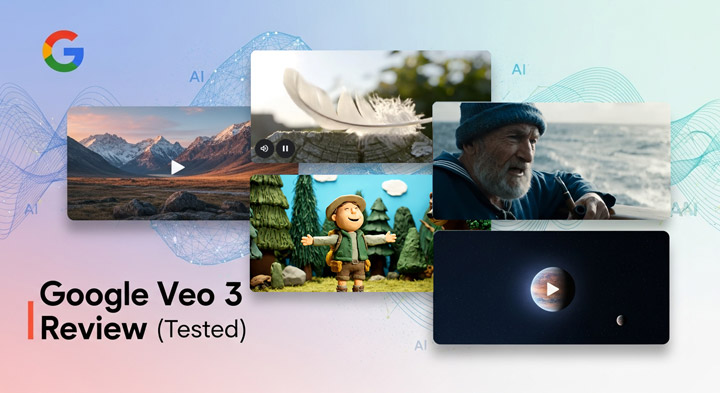
What is Google Veo 3
Unveiled at Google I/O 2025, Google Veo 3 is the company's newest and most advanced AI video generator. Google calls it their "most capable video generation model to date," designed to create videos from simple text prompts or image inputs. It immediately stands out for its groundbreaking ability to generate native audio (sound effects, dialogue, and music) directly integrated with the visuals, a significant step beyond video-only models.
Veo 3 uses a latent diffusion architecture to produce higher-quality, more realistic video that better follows prompts than its predecessors. Right now, the veo-3.0-generate-preview model creates 720p, 24fps video (16:9, max 8 seconds). Google emphasizes its ability to simulate real-world physics and precisely interpret prompts for various cinematic styles. Ultimately, it aims to lower the barrier to video creation and empower creators.
Upscale and Enhance Your Google Veo 3 Videos to 4K Clarity
While Google promotes Veo 3's ability to generate 4K videos, that feature isn't fully rolled out yet; the output is currently capped at 720p. Fortunately, you can still easily upscale and refine your Veo 3 creations to stunning 4K resolution using VideoProc Converter AI. This powerful tool helps you bridge that gap, giving you the high-definition output you need for professional or personal projects today.

What Google Says Sets Veo 3 Apart
Based on Google's official announcements, Veo 3 comes with several standout features that Google presents as major advancements, setting it apart in the fast-evolving world of AI video generation. Here are the key strengths that Google emphasizes:
1. Integrated Native Audio Generation
Veo 3 is the world first model that can generate synchronized audio—sound effects, music, and dialogue—directly alongside the visuals. This eliminates the need for post-production sound editing, such as complex voiceovers or background music placement.
2. Improved Character Consistency
Veo 3 makes impressive strides in character consistency, a huge win for seamless video storytelling. It's easily one of its best features, helping characters largely hold their look across scenes. But here's the catch: achieving perfect consistency is still tough, especially in really complex or multi-person shots. That's a hurdle all AI video models face, and while Veo 3 is leading the way, it's not foolproof.
3. Higher Resolution Output
Veo 3 is built to support impressive 4K video generation, promising incredible clarity and detail for professional-grade visuals. However, since it's still in its preview phase, 4K isn't a user-selectable option yet in the versions available through the Gemini app or Google Flow. Currently, the maximum output resolution is 720p.
If you're looking to elevate your videos to higher definition, I recommend VideoProc Converter AI. This powerful AI video enhancer can upscale your 720p videos to crisp 4K, enhance fine details, and even boost frame rates from 24fps to 120fps for smoother motion. It's a great way to transform your Veo 3 creations into high-quality content, ready for any project.
4. Superior Prompt Adherence
A common challenge in AI generation is getting the model to accurately follow complex instructions, such as specific character movements or intricate background details. Google claims that Veo 3 has improved its ability to interpret both simple and multi-layered prompts with greater accuracy. This means users can expect better alignment with their creative vision, whether they're requesting precise camera angles, specific lighting conditions, or complex animations.
5. Claimed State-of-the-Art Performance
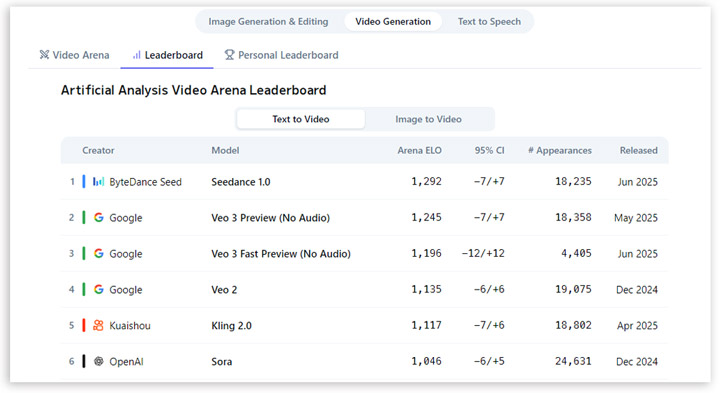
Though not a feature on its own, Google reports that internal evaluations show Veo 3 outperforming competing models in overall preference and prompt adherence. This positions Veo 3 as a leader in terms of quality, precision, and overall user satisfaction in the current AI video creation space.
Google Veo3 Pricing Plans
Veo 3 is offered through various Google AI services, catering to everyone from casual users to large businesses. Given that it's on the pricier side, understanding the different pricing options is important to ensure you're choosing the right plan for your needs and budget.
| Plan | Price | AI Credits | Key Features | Watermarks | Flow Access |
|---|---|---|---|---|---|
Google AI Pro |
$19.99/month |
1,000 credits/month |
- 100 credits for Veo 3 Quality |
Yes |
Available |
Google AI Ultra |
$249.99/month |
12,500 credits/month |
- No watermarks |
No |
Available (150 credits/video) |
Vertex AI |
Pay-as-you-go |
Based on usage |
- Flexible pricing based on usage |
Varies |
Not available |
Hands-on Experience and Performance Analysis
After seeing all the buzz and diving into Google's stated goals and features for Veo 3, the real challenge was figuring out how all these promises actually play out when you're using it in the real world. So, having spent considerable time generating videos, I've put its advertised capabilities to the ultimate test. In this section, I'll walk you through my experience, highlighting the key areas that matter most: visual fidelity, cinematic control, physics accuracy, consistency, and how natural the human elements truly feel. The goal here is to give you a straightforward look at what Veo 3 can actually deliver right now.
1. Visual Spectacle and Action Sequences
Prompt: "futuristic cityscape with towering skyscrapers. Two high-speed aircraft are locked in a thrilling chase, weaving between buildings at incredible speed. The camera follows one aircraft in close-up, shifting between tight shots and wide views as the aircraft performs tight maneuvers - banking, flipping, and diving to avoid enemy fire. Laser beams streak across the sky, cutting through the air with sharp, vibrant light. Explosions occur in the distance, lighting up the city below. The camera zooms in on the aircraft's sleek design, capturing the reflection of the cityscape on its metallic surface as it speeds through. The sound of engines roaring and lasers cutting the air intensifies the tension of the chase."
My Analysis: I designed this prompt to really push Veo 3's limits on camera control and dynamic action. It demanded shifting perspectives, tight maneuvers, and integrated visual effects like lasers and explosions, all perfectly synced with the audio. A tall order.
Observation: The results were genuinely impressive. Camera movements felt fluid and cinematic, seamlessly transitioning between close-ups and wider shots. Crucially, laser streaks accurately led to explosions at their targets-a common pitfall for older generative models. The overall camera work stuck perfectly to my dynamic instructions, delivering a compelling action sequence.
2. Scale, Destruction, and the Human Challenge
Prompt: "A giant monster rampages through the heart of a bustling city. Skyscrapers crumble, and the streets crack open with each step the creature takes. The camera tracks the monster's massive form, showing the destruction as it causes buildings to collapse, fires to erupt, and debris to scatter across the streets. People run in panic, fleeing the chaos. Fire trucks and police cars rush through the streets, their sirens blaring. Dust fills the air as shockwaves from the monster's steps ripple through the environment. The monster's movements are slow but deliberate, each of its steps leaving destruction in its wake."
My Analysis: I crafted this prompt to test Veo 3's ability to handle large-scale destruction and chaotic scenes. I wanted to see how it managed the monster's immense movement, environmental damage (like collapsing buildings and scattering debris), and the frantic panic of people fleeing, all with fitting lighting and sound.
Observation: Veo 3 absolutely nailed the immense scale, perfectly conveying the monster's oppressive presence and the sheer chaos of the emergency. The environmental destruction looked great, with believable building collapses and scattered debris. However, the fleeing humans were a clear weak point. They often appeared as blurry, shadowy figures, lacking the realistic detail and nuanced movement seen elsewhere in the scene.
3. Tranquil Garden with a Robot: Nuance and Reflection
Prompt: "A tranquil garden bathed in soft, golden afternoon light. The camera begins with a wide shot of a beautifully manicured garden, filled with vibrant flowers in full bloom. Slowly, the focus shifts to a delicate robot, standing quietly in the middle of the garden, its polished metallic surface reflecting the sunlight. The robot takes a slow, graceful step forward, its mechanical joints moving smoothly. It pauses, bending down to gently touch a rose in full bloom, as if savoring the beauty of nature. Its metallic arm trembles slightly as if in a tender gesture, exuding an unexpected sense of warmth. The scene feels serene, romantic, and otherworldly, with soft breeze swaying the flowers and birds occasionally flitting by. The camera slowly pans to capture the subtle reflections of light on the robot's surface, adding a soft glow to its form, and highlighting the gentle interaction between technology and nature."
My Analysis: This prompt aimed to test Veo 3's ability with subtle details, reflective surfaces, and the delicate interaction between a robot and nature. I focused on soft lighting, precise object handling, and creating an overall serene vibe.
Observation: Veo 3 did a commendable job blending the garden's natural beauty with the robot's mechanical precision. The interaction, especially the robot's gentle touch of the rose, felt surprisingly seamless and nailed the intended soothing, reflective mood. The lighting and reflections on the robot's metallic surface were beautifully rendered, proving Veo 3 can effectively handle nuanced, peaceful scenes.
4. Magical Forest with Giant Flying Turtle: Character Consistency Challenge 1
Prompt: "A lush, magical forest filled with oversized flowers and towering trees that sway gently in the breeze. In the center, a young girl in a light dress, with messy hair and a curious expression, walks along a winding path surrounded by glowing, whimsical creatures that seem to appear and disappear in the air. Her eyes widen as she approaches a clearing and discovers a giant, flying turtle with a serene, wise face. The camera pulls back to reveal the turtle's shell, which is covered in beautiful, glowing moss and ancient runes. The turtle lifts its head and looks at the girl with gentle eyes, as if acknowledging her presence. The girl climbs onto its back, and the scene shifts to a stunning aerial view of the magical landscape-floating islands, sparkling waterfalls, and vibrant creatures. The camera zooms in on her joyful face as the turtle begins to glide across the sky, the wind rushing through her hair. Soft, ambient music, filled with both mystery and wonder, plays in the background, creating a dreamy atmosphere."
My Analysis: I used this prompt to test Veo 3 on whimsical, detailed fantasy environments, but more importantly, on its ability to maintain character consistency for the young girl through evolving actions and camera shifts within the 8-second limit. I also aimed to push its dreamlike aesthetics, dynamic creatures, and ambient music.
Observation: Veo 3 did an excellent job keeping the young girl's face and dress consistent through various actions and camera shifts. The magical forest and its whimsical elements were well-captured, proving the model's skill at rendering fantasy settings while keeping characters stable. A solid showing.
5. Realism in Everyday Scenarios with Dialogue: The Audio Test
Prompt: "In a cozy, well-lit beauty studio, a beauty influencer in her late 20s sits casually in front of a mirror, her vanity organized with makeup products. She smiles at the camera, holding up a foundation bottle. Beauty Influencer: "Hey guys, today we're going for a fresh, everyday look that's super easy to recreate!" She starts applying foundation, blending it effortlessly with a makeup sponge, the camera focusing on her skin as it looks smooth and natural."
My Analysis: This prompt was a crucial test of Veo 3's integrated audio, specifically dialogue synchronization. I wanted to see how it handled an intimate, personal setting like a beauty tutorial, complete with close-up facial expressions, natural voiceover, and product interaction.
Observation: The video's overall naturalness was impressive, especially the generated voice and the influencer's delivery. Her holding up the makeup bottle also looked very authentic. However, the model struggled significantly with object consistency and realistic physical interaction. What she held erratically swapped between foundation, a makeup sponge, and an eyeshadow brush. Plus, the makeup application itself was unnatural; for instance, when applying lipstick (despite my prompt asking for foundation, it defaulted to lipstick in the clip), she barely touched her lips instead of a realistic application.
6. Arctic Scene with a Polar Bear: Wildlife Photorealism
Prompt: "A photorealistic, National Geographic-style shot of the Arctic. A polar bear stands at the edge of a frozen sea, the icy landscape stretching out into the distance. The sky is overcast, casting a soft, cold light across the scene. The bear's thick white fur glistens with frost as it crouches, eyes locked on the water below. The camera slowly zooms in, capturing the bear's sharp, focused gaze. With a sudden, powerful movement, the polar bear plunges its massive paw into the freezing water, sending ripples across the surface. The ice cracks slightly, and fish dart in the water. The bear pulls its paw back, its claws dripping with water, and proudly holds a wriggling fish. A soft wind blows, swirling snowflakes across the scene, and the sky above shifts between dark clouds and pale sunlight, creating a dramatic and haunting atmosphere. The camera lingers on the bear as it feasts, showcasing the rugged details of its fur and the raw beauty of its environment. The crisp, icy texture of the water and the frozen icebergs contrast with the powerful, yet graceful movements of the polar bear."
My Analysis: I designed this prompt to challenge Veo 3's photorealism, focusing on wildlife and complex natural environments. I specifically wanted to see how it rendered animal fur, environmental textures (snow, ice, water physics), atmospheric conditions (wind, snow), and dynamic action, aiming for a 'National Geographic' style.
Observation: The results were exceptional. The animal's fur looked incredibly natural, and the audio truly captured the cold, harsh Arctic environment. The 'AI-generated' feel was almost entirely absent, making the video remarkably convincing. It's a clear testament to Veo 3's strength in photorealistic nature scenes.
7. Cinematic Montage: The Passage of Time and Consistency Challenge 2
Prompt: "A cinematic montage capturing a woman's life through the ages - 10, 20, 30, 50, and 60. The scenes should evolve to reflect the passage of time: youthful joy at 10, ambition and energy at 20, reflection and introspection at 30, the weight of time at 50, and a mixture of joy and exhaustion at 60. Music: The music should shift with each age, starting playful and light at 10, energetic at 20, reflective at 30, slower and filled with regret at 50, and melancholic at 60."
My Analysis: This ambitious prompt aimed to push Veo 3's narrative capabilities, especially its ability to maintain character consistency through significant age progressions within a very short timeframe. I wanted to see if it could convey evolving emotional depth and visual shifts while ensuring the 'same' person was depicted throughout, all synced with precise musical cues.
Observation: The outcome was passable, but definitely not perfect. The initial frames showing the woman in her youth looked a bit blurry, messing with facial clarity. More importantly, the emotional portrayal often missed the mark; for instance, at age 20, she seemed worried and unconfident instead of the ambitious and energetic vibe I prompted. I suspect this was due to trying to cram too many distinct life stages into the strict 8-second video limit, which really restricts complex storytelling. On the bright side, the music synchronization to the requested emotional shifts was spot-on.
8. Beach Interview with Spontaneous Dialogue: Natural Interaction
Prompt: "A realistic YouTuber interview on a sunny tropical beach in Bali. The interviewer's voice asks, "So, what's your favorite way to spend the day on the beach?" The interviewee smiles and responds and then keeps walking toward the sea. The camera follows her as she walks toward the water, capturing the carefree moment."
My Analysis: This prompt tested dynamic human movement outdoors, focusing on natural interactions and, critically, Veo 3's ability to generate a spontaneous, fitting verbal response. I wanted to see how well it blended fluid motion with environmental details like lighting, shadows, and water reflections.
Observation: The video was remarkably natural. Subtle details, like footprints in the sand as the interviewee walked, looked authentic. Even better, since I intentionally left out a specific answer in the prompt, Veo 3's generated response was surprisingly natural and fit the context perfectly, showing its smart way of filling in narrative gaps.
Google Veo 3: Pros and Cons
Based on my extensive hands-on time with Google Veo 3, here's a summarized look at its strengths and weaknesses:
Pros:
- Good Character Consistency: It generally keeps characters consistent within a single clip.
- Highly Detailed: Can produce truly impressive visual quality, with excellent detail and often realistic textures.
- Understands Prompts Well: Veo 3 demonstrates an advanced ability to interpret complex scenes and intricate scenarios from prompts, leading to outputs that largely align with user intentions.
- Intelligent Cinematic Control: It shows a deep understanding of audio-visual language, effectively executing camera prompts like zoom, truck, pan, and other dynamic movements.
- Integrated Audio Generation: The ambient sound, BGM, and narrative audio perfectly syncs with the visuals.
- Natural Lip Synchronization: The mouth movements of speaking characters are almost perfectly synced with the generated dialogue, making conversations feel highly natural.
Cons:
- High Cost: Accessing Veo 3, especially without watermarks or higher usage limits, can be quite expensive, with limited free usage opportunities compared to some other AI tools.
- Resolution Limitations (for preview): While 4K is mentioned in technical documents, the standard output for most users remains at 720p. Thus, it's best to upscale and enhance your output with an extra AI video upscalers.
- Occasional Detail Error: Minor details can still be problematic. For example, text often appears incorrect or illegible.
- Clunky Interactions: Physics within clips can be inconsistent; objects don't always behave realistically.
- Subtle Scenes Challenge Veo 3 still struggles with scenes requiring very precise details or subtle human emotions.
- Short Clip Length: The current 8-second maximum video length per generation remains a significant limitation for longer narratives, requiring manual stitching and careful planning.
How to Write Effective Prompts for Veo 3 (Tips for Better Videos)
Getting the best out of any AI video generator, especially one as powerful as Veo 3, hinges on how well you communicate your vision. Think of your prompt as a script for an incredibly fast and talented, yet literal, film crew. Here are some key tips to help you craft prompts that truly bring your ideas to life with Veo 3:
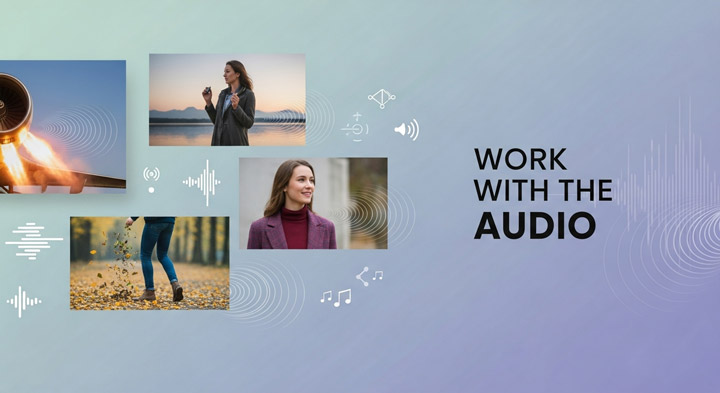
1. Work with the Audio
This is Veo 3's secret weapon. Explicitly describe the sounds you want: "with the roar of a jet engine," "a woman's clear voice says 'Hello there!'," "soft, melancholic piano music plays," "the crunch of leaves underfoot." The more detail, the better the integration.
2. Prioritize and Detail Key Subject
If a character or object is central to your scene, introduce them early in your prompt and provide key visual details. This helps Veo 3 maintain consistency throughout the clip.
3. Be Precise with Interactions
When objects or characters are interacting (e.g., picking something up, opening a door, applying makeup), describe the action clearly. Avoid ambiguity to minimize "phantom" object changes or superficial movements.
4. Speak the Language of Film
Don't just describe what you want to see; describe how you want the camera to see it. Use cinematic terms like "wide shot," "close-up," "dolly shot," "pan left/right," "zoom in/out," and "low/high angle". Veo 3 understands these instructions well and can translate your vision into dynamic camera work.
5. Break Down Complex Narratives
Remember the 8-second limit. If you have a longer story or multiple intricate scene changes, consider breaking them into shorter, sequential prompts. This gives you more control and helps Veo 3 focus on one set of details at a time.
6. Iterate and Experiment
Don't be afraid to generate multiple variations or tweak your prompt slightly after the first attempt. Small changes in wording, adding an adjective, or specifying a time of day can dramatically alter the output.
By applying these strategies, you'll be well on your way to unlocking Veo 3's full potential and generating videos that truly resonate with your vision.
Who is Google Veo 3 For
Google Veo 3 is an incredibly powerful AI text/image to video generator, but its target audience isn't necessarily everyone. Here's a breakdown of who will benefit most:
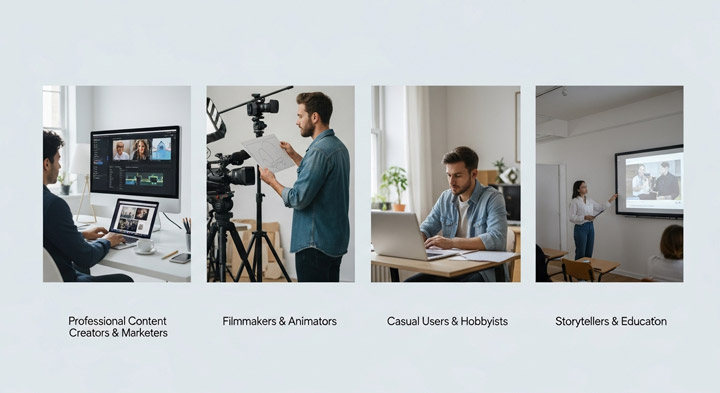
1. Professional Content Creators & Marketers
With its high-quality output, native audio, and ability to follow complex prompts, Veo 3 is ideal for quick, high-impact social media shorts, ad creatives, or initial storyboards. Its integration with Flow further enhances professional workflows.
2. Filmmakers & Animators
While it won't replace traditional filmmaking just yet, Veo 3 is an invaluable tool for ideation, visualizing complex scenes, or generating specific shots with precise camera movements and audio during pre-production.
3. Casual Users & Hobbyists
The pricing might deter some, but those passionate about exploring AI's creative potential and willing to invest will find Veo 3 a fascinating and capable tool for personal projects.
4. Storytellers & Educators
The ability to bring narratives to life with synchronized audio opens up new avenues for educational content, short stories, or visual aids that were previously costly or time-consuming to produce.
The Future Look of Google Veo3
Veo 3 is a significant step for AI video, but the pace of innovation is relentless. Looking ahead, we can expect to see major advancements that tackle current limitations and unlock new possibilities. This means support for significantly longer, more coherent video clips, coupled with breakthroughs in hyper-realistic human rendering and intricate detail. Future iterations will also likely offer enhanced user control and deeper editing capabilities directly within the platform, making powerful filmmaking tools like Flow even more robust. Google's ongoing commitment to AI means Veo 3 is on track to become an indispensable asset, dramatically widening access to high-quality video production for creators globally.
Frequently Asked Questions (FAQ)
1. Is Google Veo 3 free to use?
No, accessing Google Veo 3, especially for higher usage limits or without watermarks, typically involves a cost. While limited free usage opportunities might be available, it's generally positioned as a premium AI video generation tool.
2. What are Veo 3's main limitations?
Currently, Veo 3's primary limitations include an 8-second maximum video length per generation, a standard output resolution of 720p (for most users), occasional minor anomalies in fine details (like illegible text), and challenges with perfectly realistic object interaction physics or extremely nuanced human emotions.
3. How does Veo 3 handle audio generation?
Veo 3 boasts a standout feature: it excels at natively generating highly relevant sound effects, ambient sounds, and even character dialogue that is almost perfectly lip-synced with the visuals. This integrated audio significantly enhances realism and immersion.
4. What is the relationship between Veo 3 and Flow?
Veo 3 is Google's core generative AI video model - it's the powerful engine that creates the video and audio. Flow is Google's dedicated AI filmmaking workspace. Flow uses Veo 3 (along with other Google AI models) to provide users with a comprehensive environment to build narratives, control camera angles, extend footage, and manage their prompts for filmmaking projects.
5. Can Veo 3 generate longer videos?
As of now, the maximum length per generated clip is 8 seconds. For longer narratives, users need to generate multiple clips and manually stitch them together. However, future updates are widely anticipated to increase this clip length.