VideoProc Converter AI
 New AI features are available



 Listed in
 Want a profile picture that truly stands out online? Whether you're envisioning a professional-looking realistic headshot for LinkedIn or a fun, creative stylized avatar for your social media on platforms like Facebook, Instagram, X/Twitter, YouTube, or Twitch, the possibilities are now incredibly exciting thanks to AI profile picture generators.
These tools make it easier than ever to create a unique visual identity without needing professional photography skills or expensive software. You can even explore options for a best free AI profile picture generator to get started!
In this guide, I'll dive into some of the top AI profile picture generators of 2025, giving you a clear overview of what they offer. Plus, I'll show you the basic steps for how to make an AI profile picture so you can start creating your perfect online image today.

What Is an AI Profile Picture Generator
An AI profile picture generator is a digital tool designed to help you create unique and often stylized images for your online profiles. Instead of relying solely on existing photos, these tools use artificial intelligence to transform your pictures into various artistic styles, such as cartoons, paintings, or professional headshots. Some even allow you to generate entirely new images based on text descriptions, letting you bring imaginative avatars to life. Essentially, it's a convenient and accessible way to get a personalized and eye-catching profile picture without needing professional photography or design skills.

What if your generated profile picture looks blurry or low resolution? Try VideoProc Converter AI. This AI-powered tool can upscale images and videos of all kinds - including AI-generated art, profile pictures, and real photos - enhancing details and clarity up to 10K resolution.
List of Best Free AI Profile Picture Generators
1. Fotor
Fotor's AI profile picture generator harnesses the power of advanced artificial intelligence to transform your images into striking profile pictures tailored to a variety of styles.
Whether you're seeking a polished, professional look for high-definition AI headshots or aiming to add a touch of creativity to your gaming channel, Twitch, Fortnite, or Discord avatars, this versatile AI profile picture generator has you covered.
Beyond creating compelling profile images, Fotor enables you to generate enchanting avatars in emoji, cartoon, or realistic styles, from text descriptions or pictures. In addition to its intelligent AI art generation capabilities, Fotor also provides a full suite of photo editing toolkits, allowing you to refine your photos to the next level of visual impact with minimum effort.

Pricing:
Fotor's AI image generator consumes one credit for each profile picture or other image created. There are two options to obtain credits - purchase a Fotor Pro subscription plan that includes credits, or buy credits alone.
- Fotor Pro subscription plans ($8.99/month - 100 credits; $19.99/month - 300 credits)
- Credit packs (500 credits - $39.99; 1,000 credits - $59.99)
Pros:
- For uses of all skill levels
- Packs a variety of styles and templates
- Offers various aspect ratio options
Cons:
- Requires uploading photos to Fotor's cloud service
- Cannot be used without internet access
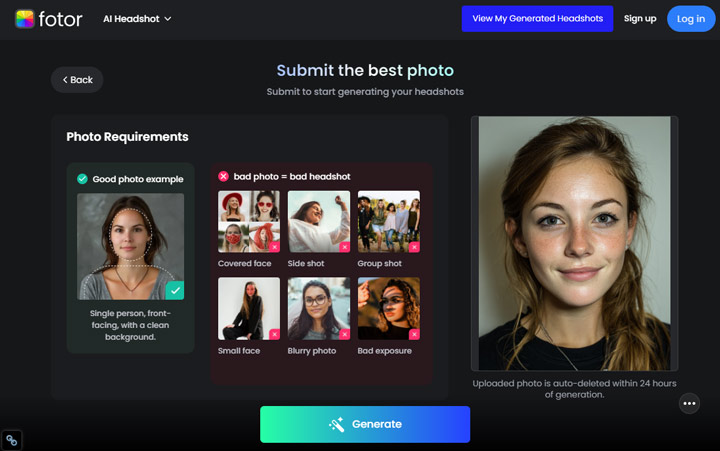
Let's Try Out This Free AI Profile Picture Generator
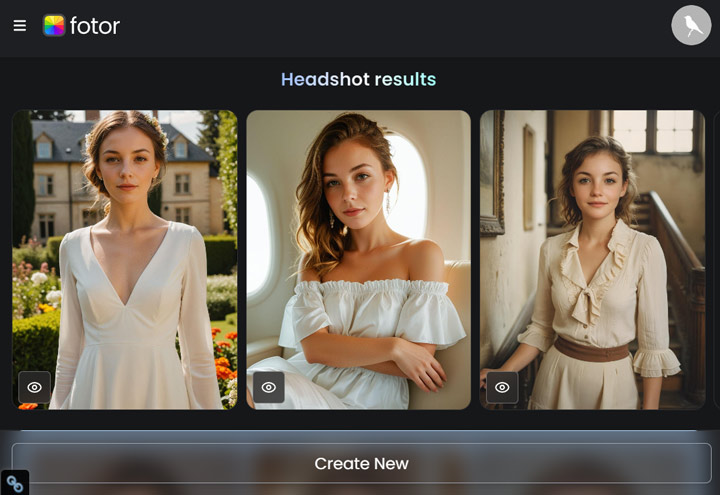
I chose the free picture profile style provided by Fotor. As I could see from the previews, all the free options offered by Fotor were in a casual style. Therefore, if you're looking to create profile pictures for purposes like dating, business, or official identification, which typically require a studio-style aesthetic, you'll likely need to subscribe to its premium plan. Anyway, let's check what I got.
The head-to-body ratio in the middle one looks a bit off, but the other two pictures look very natural.
2. Artguru
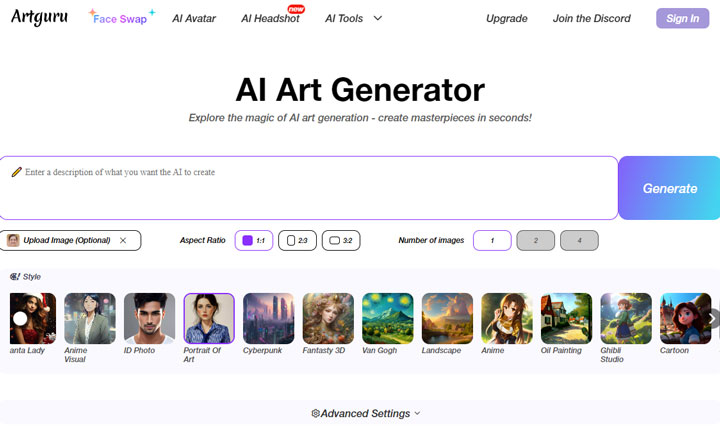
Artguru, founded in 2023, has become a popular choice for beginners and content creators to create high-quality AI profile pictures.
It offers both photo-based and text-based generation and even supports a combination of both. If you're unsure how to write good prompts, Artguru provides recommended prompts based on the words you input. The best part is, though generating every profile picture costs 1 credit, Artguru offers daily 3 free credits. That being said, you can generate and download 3 profile pictures without costing a dime.
Additionally, for those interested in transforming their pictures into artistic avatars, Artguru offers an AI Avatar tool. This tool utilizes the latest AI models and allows you to create 100 expressive and realistic avatars in 10 styles at a time, with just a few clicks.
Pricing:
- Monthly plan at $9.99, which provides 1000 credits
- Extra cost for AI Avatar generator
Pros:
- Get 3 credits for free per day
- Preset multiple styles, incl. anime, illustration, and headshot
- Customizable ratios, backgrounds, and more
Cons:
- Generated profile pictures are public
- Lack of basic photo editing tools
Let's Try Out This Free AI Profile Picture Generator
I selected 'ID Photo' as the target style. The tool also allows for adding positive and negative prompts to better control the output, which is a nice feature. For the positive prompt, I entered 'ID photo, studio style' to guide the AI. Let's see the results.
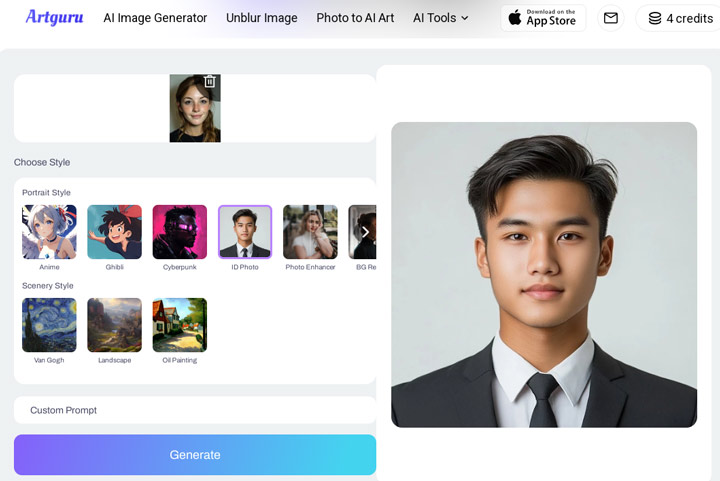
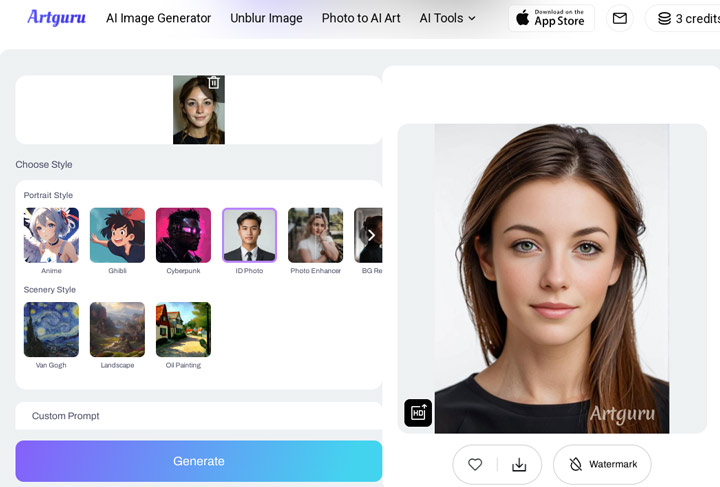
It successfully transformed my original selfie to resemble an ID photo. It even adjusted the hairstyle to be more typical of ID photo styles. As you can see, the output with a free account includes a watermark and is a low-resolution preview. To remove the watermark and get a high-resolution image, a subscription to their paid plan is necessary.
3. Picofme.io
Picofme.io is a free AI profile picture generator that creates eye-catching profile photos with just a few clicks. It uses AI image background removal and offers various background variations. Once you upload your pictures, you can rotate and zoom to select the desired image area for your profile pic. The tool then offers a plethora of template options across different styles such as comic, social media flair, bordered designs, and classic black and white.
You're free to tweak the details too, adjusting outlines, shadows, and borders, and applying filters to match your personal taste. However, it's worth noting that, as a completely free AI profile picture generator, Picofme.io doesn't include more advanced AI features like altering your hairstyle, and facial expressions, or transforming your photo into an artistic masterpiece.

Pricing:
- It's a free AI profile picture generator
Pros:
- Free and easy to use
- A number of templates to choose from
- Can create your own profile picture templates
Cons:
- Lack of advanced AI options
- Can't handle multiple pictures at once
- Can't create profile pictures for pets
Let's Try Out This Free AI Profile Picture Generator
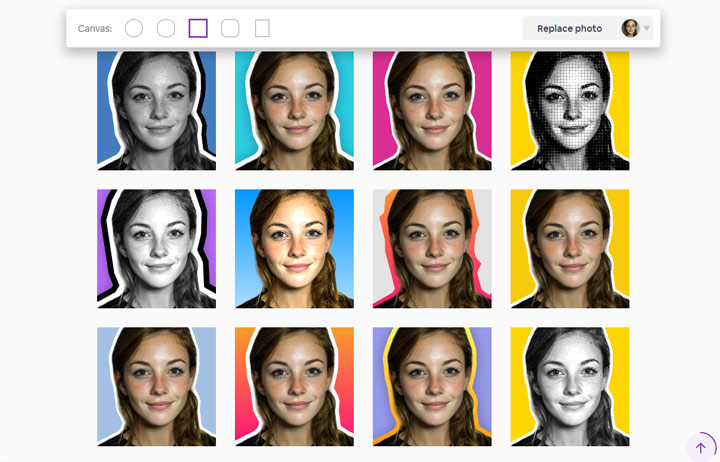
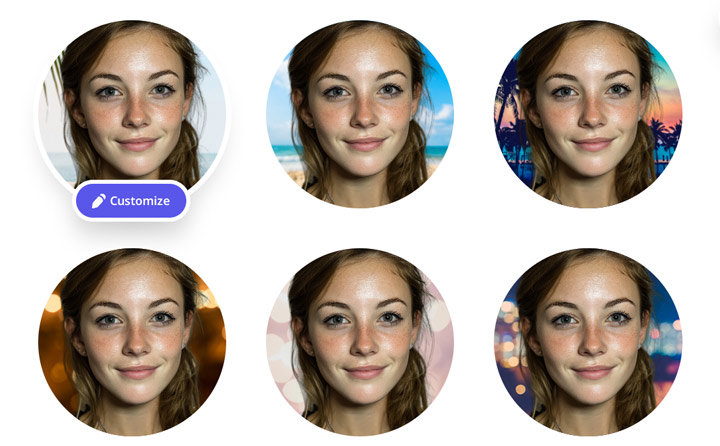
Using this free AI profile picture generator, Picofme, is very straightforward. I simply uploaded my original picture and chose the desired range, and it handled the rest. It generated a wide variety of results.
Unlike some other profile picture generators, it doesn't drastically alter the original photo I fed in. Instead, it subtly enhances it by adding backgrounds, colored outlines, and other eye-catching elements to make it suitable as a profile picture.
4. QuickTools by Picsart
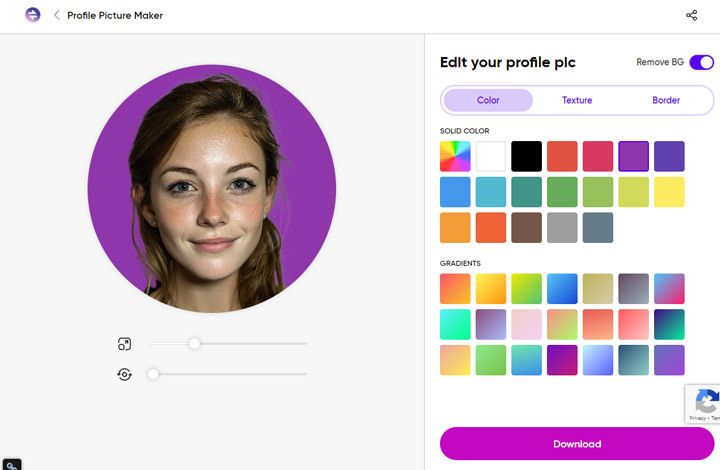
Just as its name implies, QuickTools is a versatile online platform providing 50 streamlined tools that cater to various needs—from generating stylish fonts and calendars to converting media files. Among these is a basic yet handy profile picture maker. It automatically detects faces and allows swapping backgrounds for texture or solid color options, along with modifying border color and thickness. While handy for quick edits, fancy enhancement capabilities like sharpening facial details or applying decorative filters are not supported. Still, for those seeking to quickly create simple profile pictures, QuickTools is worth trying.

Pricing:
- It's a 100% free AI profile picture generator
Pros:
- Quick setup with no learning curve
- 50 handy tools in one place
Cons:
- No batch processing
- Lack AI for impressive profile pictures
- No aspect ratio options to fit specific platforms
Let's Try Out This Free AI Profile Picture Generator
This profile picture generator didn't apply significant changes to the photo I uploaded, unlike some others I've tried. Its enhancements were mainly limited to adding a background, a colored stroke, and some visually appealing elements to make it suitable for a profile picture.
5. LightX
LightX's Profile Photo Maker offers a convenient way to create professional, customized profile images for any purpose or platform. With a range of templates, you can generate polished profile photos tailored to your needs - whether crafting an impressive headshot for a corporate event flyer, building your online portfolio presence, or adding an expressive avatar to gaming and social media profiles.
The templates are customizable, so you can add decorative elements like stickers and aesthetical texts, change the background with stock photos or your uploads, add filters, and more. Better yet, this amazing AI profile picture generator can automatically size your photos for major sites like Twitter, Facebook, and LinkedIn profile pages.
Want a more stylish look? You can purchase the Pro version to unlock the AI face avatar generator. This advanced feature creates an array of realistic yet visually striking avatars from a single picture by modifying details like haircut style and outfits.

Pricing:
- Pro subscription at $47.99/year, with 1000 credits monthly
- Pro subscription at $5.99/month, with 1000 credits
Pros:
- A host of customizable templates
- Replace the background with hundreds of photos provided by Pixabay
- An extensive selection of stickers
Cons:
- Slower than most online AI profile picture makers
Let's Try Out This AI Profile Picture Generator
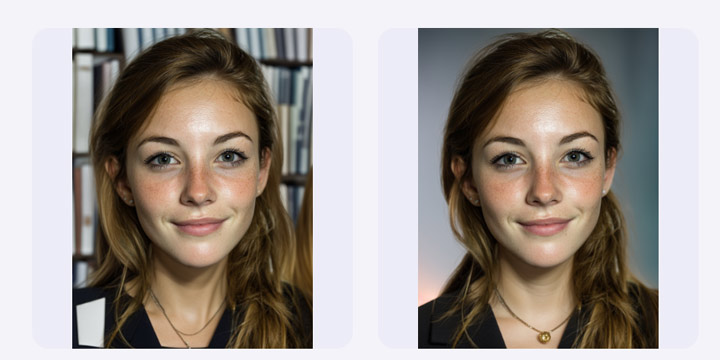
I tried with the Boken and Library style only since each generation costs 1 credit. As a free account user, I only got 10 free credits for use. The outcome looks, honesly speacking, is under my expection. Look at the Library style piucture prifle opuytcome, it seems it mxi the background and forground.
6. Profile Pic Maker
Profile Pic Maker is an intuitive AI profile picture generator usable directly in your web browser. It creates square, rounded, squared-round, and round-edged profile photos from existing images. With intelligent background removal, it detects and replaces backgrounds with a solid color, gradient, or a variety of scene options. Users can further decorate pics with fun glasses, lasers, or tape without any fees. For subscribers, Profile Pic Maker unlocks an extensive suite of advanced options. It utilizes AI to detect your facial features, offering more than 100 style variations. This includes everything from professional headshots suitable for LinkedIn to smile-filled profile pictures for dating apps like Tinder, as well as authentic full-body images tailored for bodybuilding apps. Additionally, this handy AI profile picture generator can help you create charming profile pictures featuring couples and even your beloved furry friends.

Pricing:
- Basic profile pictures are free
- $9 for 100 regular-sized images in 15 styles
- $16 for 240 high-resolution images in 30 styles
- $15 for 3 regular-sized images in 15 professional styles
- $25 for 240 high-resolution images in 30 styles
Pros:
- User-friendly interface with no learning curve
- Wide variety of creative and professional styles
Cons:
- Slow processing time (around 40 minutes per image)
- Limited advanced editing features
- No options for different export aspect ratios
Let's Try Out This AI Profile Picture Generator
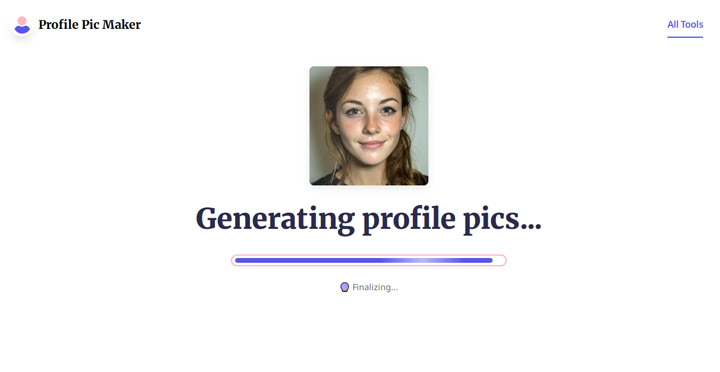
With this free AI profile picture generator, the process is straightforward: just upload your photo, and it generates a wide array of profile pictures.
It's worth noting, though, that it lacks sophisticated AI capabilities such as altering hairstyles, perfecting facial features, or adjusting original colors for a smoother integration with new backgrounds.
7. AIEase
AIEase streamlines the process of creating AI-generated profile pictures from existing photos. Requiring just a single image as input, it delivers nearly flawless results, although post-generation customization options seem to be limited. A notable strength is the clear choice it offers between 'creative' and 'professional' styles.
Pricing:
- Basic profile pictures are free.
- $9.99 per month.
- $59.99 per year.
Pros:
- Requires only one image for context.
- Offers two styles: creative (cartoon, anime, watercolor, pixel art) and professional.
- Retains facial expressions and structure.
Cons:
- Lack the customization options for polishing the generated images.
- Outputs one image at a time, which isn't very convenient.
- The free plan output comes with a watermark.
Let's Try Out This AI Profile Picture Generator
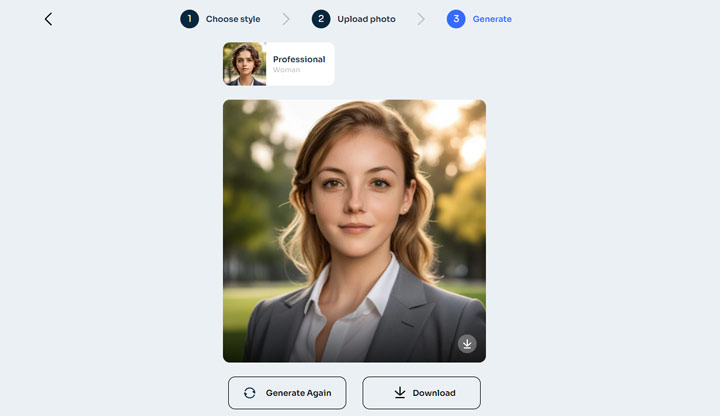
What I need to do with this online AI profile picture generator is very simple. Just choose the target style and upload the photo, and it does the rest. Note that it only allows choosing one style and outputs one picture at a time. Thus, it's not a good choice for those looking to pick from lots of options.
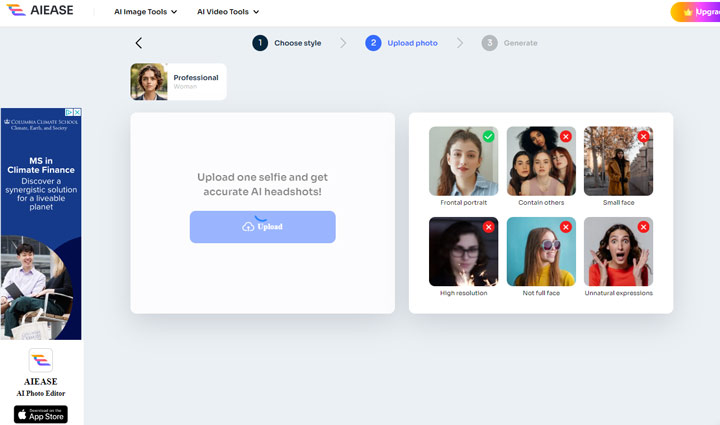
However, looking at the result I got, while it's acceptable, it's not really what I was hoping for because it alters the facial features quite a bit.
FAQ
1. What is the AI app that makes profile pictures?
There are several AI-powered apps that can generate unique profile pictures. Popular options include Fotor, Profile Pic Maker, and QuickTools by Picsart. These apps leverage artificial intelligence to transform personal photos into stylized portraits, digital paintings, and other artistic creations suitable for profile pictures.
2. How do I make my own AI profile picture?
Simply follow the below steps to make your own AI profile picture:
- Step 1. Select an AI profile picture generator app from this roundup. Launch up the app.
- Step 2. Upload a photo of yourself. Click the Generate button or similar option to enable the app to create a profile picture from the given picture.
- Step 3. Customize the generated profile picture as needed. Hit Down to download the new profile picture.